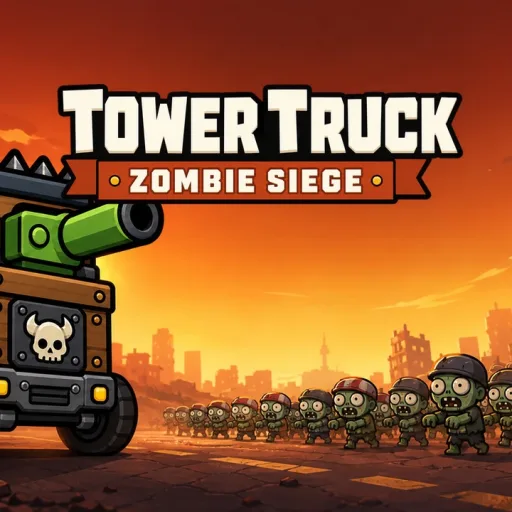
 Tower Truck: Zombie Siegeby Haz Studio · 0 plays
Tower Truck: Zombie Siege
Haz StudioEvery battle is a tactical puzzle. Choose what to build and where to place it: slot weapons into your truck, rearrange them by dragging, and spend resources to unlock stronger gear. When a wave threatens to overrun you, fire commander skills at the right moment to turn a losing fight around. Every skill costs energy, so timing matters as much as firepower.
The campaign is huge: 90 levels spread across 18 cities, each demanding new strategies as zombie types and attack patterns change. Prefer to watch your machine do the work? The AUTO mode plays battles for you while you fine-tune your tower layout.
Tower Truck: Zombie Siege plays entirely in your browser with no downloads and no account needed, and your progress saves automatically. Controls are mouse or touch, so it works on PC and mobile. If you love tower defence games with real build freedom and long-term progression, this zombie siege is well worth defending against.
How to play
Ratings
Comments
Log in or create a free account to write a comment.
No comments yet. Be the first!
FAQ
How do I control the game?
You only need a mouse or a touchscreen. Tap a truck slot to buy, upgrade or unlock a weapon, drag weapons between slots to rearrange them, and tap the skill buttons to fire commander skills.
What do the commander skills do?
Commander skills fire powerful one-shot effects that can turn a losing wave around, but each use costs energy, so save them for the moments your towers start to fall.
How many levels are there?
The campaign runs 90 levels across 18 cities, with new zombie types and attack patterns as you advance.
What is AUTO mode?
AUTO mode plays the battle for you automatically. It is a handy way to test a tower layout or to watch how waves behave before rebuilding your defences.
Can I play on my phone?
Yes. The game is mobile-web compatible and the controls are touch-only, so it plays fully on Android and iOS browsers with no download.
Is Tower Truck: Zombie Siege free to play?
Yes. Tower Truck: Zombie Siege is free and runs right in your browser on GameFunLife — no download or sign-up needed.
Can I play Tower Truck: Zombie Siege on my phone?
Yes, it works on phones and tablets as well as computers.