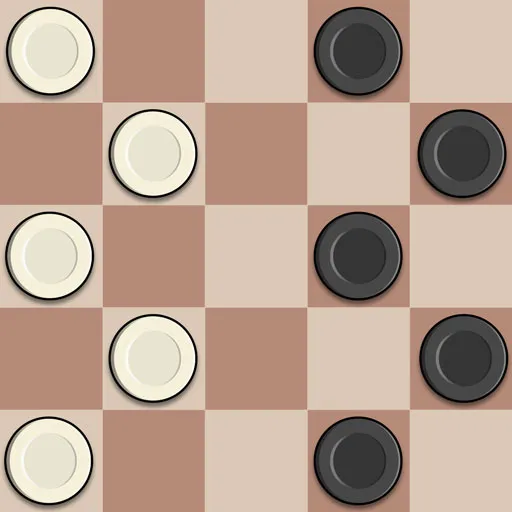
 Master Checkers Multiplayer16 plays
Master Checkers Multiplayer
Whether you are a casual player learning the rules or a seasoned strategist perfecting your openings, Master Checkers Multiplayer delivers a clean, distraction-free board with fair matches and fast turns that keep every game moving. The simple pick-up-and-play controls feel natural on both desktop and mobile, while competitive online play adds real tension as you try to outsmart real opponents from around the world.
Enjoy endless replay value with quick casual matches, relaxed practice games against the computer, and challenging battles that reward careful planning and smart sacrifices. Every match is a fresh puzzle of positioning, tempo and traps. There are no downloads needed - just open the game in your browser and start playing instantly. Master Checkers Multiplayer is free to play on GameFunLife and works great on phones, tablets and computers. Train your brain, sharpen your strategy and become the undisputed master of the checkered board.
How to play
The goal is to capture all of your opponent's pieces, or block them so they cannot move.
- Red moves first. Take turns moving one piece at a time with your opponent.
- Move your checkers one square diagonally forward onto an empty dark square.
- Jump over an adjacent enemy piece to capture it. Chain several jumps in a single turn whenever the path continues.
- Reach the far row to crown a checker as a king. Kings can move and jump diagonally both forward and backward.
- Watch for forced captures - a smart opponent will punish every careless move.
Desktop controls: click or drag a piece, then click one of the highlighted squares to move. Mobile controls: tap a piece to select it, then tap a highlighted square to make your move.
Ratings
Comments
Log in or create a free account to write a comment.
No comments yet. Be the first!
FAQ
How do I play Master Checkers Multiplayer?
The goal is to capture all of your opponent's pieces or block them so they cannot move. Red moves first, and players take turns moving one piece at a time.
How do captures and kings work?
Jump over an adjacent enemy piece to capture it, and chain several jumps in a single turn when the board allows it. Reach the far row to crown a checker as a king, which moves and jumps diagonally both forward and backward.
Can I play against the computer or online?
Yes, you can enjoy quick casual matches, relaxed practice games against the computer, and multiplayer play.
Is Master Checkers Multiplayer free?
Yes, it is free to play in your browser with no downloads or installs.
Does Master Checkers Multiplayer work on mobile?
Yes, it works on phones and tablets with touch controls, and it plays in portrait orientation.
Is Master Checkers Multiplayer free to play?
Yes. Master Checkers Multiplayer is free and runs right in your browser on GameFunLife — no download or sign-up needed.
Can I play Master Checkers Multiplayer on my phone?
Yes, it works on phones and tablets as well as computers.