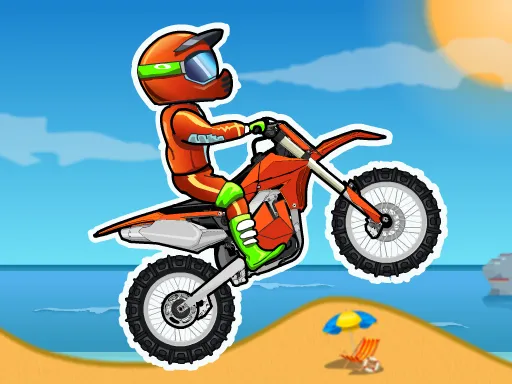
 Moto X3M Bike Race Game37 plays
Moto X3M Bike Race Game
What is Moto X3M?
Moto X3M is a stunt bike racing game built around short, intense levels. This version has 25 tracks packed with loops, ramps, explosives, spikes and spinning saws, and every one is a race against the clock. If you have been searching for Moto X3M unblocked, you can play it here free in your browser and be on the starting line in seconds.
How to play Moto X3M
Reach the finish as fast as you can without wrecking your rider. Crashing sends you back to the last checkpoint, and quicker finishes earn more stars, up to three per level. You ride with the arrow keys on a computer or with on-screen buttons on a phone or tablet; the full controls are listed in the How to play section below.
Tips for three stars
Flip whenever you have the height. Front and back flips cut time off your run, as long as you land them. Lean so both wheels touch down together, because a clean landing keeps your speed. Ride a new level slowly once to learn where the traps are, then go for speed. Tap the brake before saws and explosives, since a short pause is faster than a crash. If a run goes wrong, jump back to the checkpoint instead of struggling on.
Why play Moto X3M on GameFunLife?
Moto X3M is free here, runs in your web browser and needs no download, install or account. That makes it easy to play on Chromebooks, laptops and phones. Whether your school or work network allows the site is up to that network. For more stunt riding, try Moto X3M Spooky Land or Moto Extreme: Halloween Land, or browse the full unblocked games list on GameFunLife.
How to play
Your goal is to reach the finish line of every level as fast as you can while surviving dangerous obstacles like spinning saws, explosives and steep drops. Perform flips off ramps to land faster and cut down your time - but stick the landing, because crashing sends you back to the last checkpoint.
Desktop controls:
- Up Arrow: accelerate
- Down Arrow: brake and reverse
- Left and Right Arrows: lean and balance your rider in mid-air
- Spacebar: respawn at the last checkpoint after a crash
Mobile and touch controls:
Moto X3M works on phones and tablets - use the on-screen buttons to accelerate, brake and tilt your bike.
Tips: slow down before tricky obstacles, keep your balance when landing big jumps, and watch the clock - faster finishes earn more stars.
Ratings
Comments
Log in or create a free account to write a comment.
No comments yet. Be the first!
FAQ
Can I play Moto X3M unblocked at school?
It runs in the browser with no download, so it works on school Chromebooks. Whether the site opens depends on your school's network settings.
How many levels are there?
This version of Moto X3M has 25 levels, each with its own mix of loops, ramps and traps.
How do I get three stars?
Finish fast. Landing flips and avoiding crashes are the quickest ways to lower your time.
How do you play Moto X3M Bike Race Game?
Race your dirt bike through 25 action-packed levels filled with giant loops, exploding obstacles, deadly spikes, and gravity-defying jumps, reaching the finish line as fast as you can.
What happens if you crash in Moto X3M Bike Race Game?
Crashing sends you back to the last checkpoint, so stick your landings. You can also press Spacebar to respawn at the last checkpoint after a crash.
What are the controls in Moto X3M Bike Race Game?
On desktop use Up to accelerate, Down to brake and reverse, Left and Right to lean in mid-air, and Spacebar to respawn at a checkpoint. On mobile use the on-screen buttons.
Is Moto X3M Bike Race Game free to play?
Yes. Moto X3M Bike Race Game is free and runs right in your browser on GameFunLife — no download or sign-up needed.
Can I play Moto X3M Bike Race Game on my phone?
Yes, it works on phones and tablets as well as computers.