 Screwdriver 3D: Build the Gadgetby ilinskii · 0 plays
Screwdriver 3D: Build the Gadget
ilinskiiPuzzle · Free · Plays in your browser
—0 ratings
0Plays
YesWorks on phone
LandscapeScreen
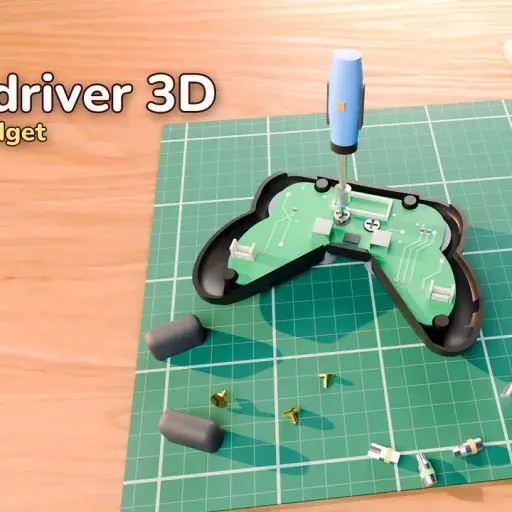
Every gadget on the workbench arrives in pieces, and putting it back together is your job. Screwdriver 3D is a calm, hands-on puzzle where you rebuild 30 real devices, from a flashlight and a TV remote to a laptop, a drone, a microwave and a sewing machine. Each device lies spread out on the bench, and you drag every part to its highlighted spot before fixing it in place. The fiddly part is the screws. Each one needs the matching screwdriver bit, so you pick the bit of the same colour from the tray, hold it on the screw and drive it home. Some parts hide on the far side, so you spin the device around with the arrow buttons until everything is in reach. Finished gadgets earn you stars and coins, and the coins go into better tools for the next job. It is the kind of game that suits a quiet ten minutes or a long session, and there is something satisfying about watching a pile of parts turn back into a working gadget.
How to play
Drag a part with your mouse or your finger onto its highlighted place. To fix a screw, tap the screw in the tray, pick the bit of the same colour and hold on the screw until it is tight. Use the arrow buttons to rotate the device when the next part or screw is on another side. Stuck on a step? Press the hint button.
Ratings
Comments
Log in or create a free account to write a comment.
No comments yet. Be the first!
FAQ
How many gadgets can I rebuild?
30 real devices, from a flashlight and a TV remote to a laptop, a drone, a microwave and a sewing machine.
How do I tighten a screw?
Tap a screw in the tray, pick the screwdriver bit of the same colour, then hold on the screw until it is tight.
How do I reach parts on the other side?
Use the arrow buttons to rotate the device and work on every side.
What do stars and coins do?
You earn stars and coins as you finish devices, and you can spend coins to upgrade your tools.
Can I play on my phone?
Yes, drag parts with your finger just like you would with a mouse.