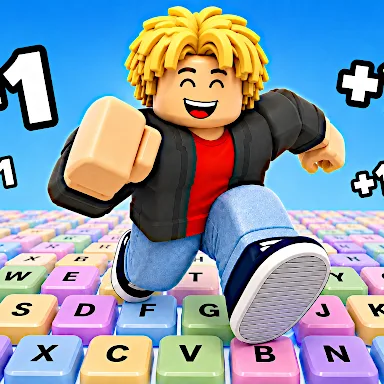
+1 Speed Keyboard Lucky Escape game thumbnail +1 Speed Keyboard Lucky Escapeby gameVgames · 0 plays
+1 Speed Keyboard Lucky Escape game thumbnail

+1 Speed Keyboard Lucky Escape

gameVgames
Casual Games · Free · Plays in your browser
—0 ratings
0Plays
YesWorks on phone
LandscapeScreen
Play +1 Speed Keyboard Lucky Escape free online at GameFunLife, a fast-paced brainrot collecting and escape game set on one giant keyboard. Fire Lucky Blocks as far as you can with your bazooka, then race to discover 93 different Brainrots, each one stranger and more valuable than the last. Every launch is a gamble: a lucky block could hide a rare Brainrot worth a fortune, or send you chasing a prize that is just out of reach. Grab +1 Speed pickups to move faster, upgrade your launch range, and boost the value of everything you collect. The more Brainrots you find, the stronger your collection becomes, and the further you can launch the next block. Spend your earnings wisely, unlock upgrades, and build a Brainrot collection that keeps growing with every run. But the fun does not stop at collecting. Once you have grabbed your prize, run for your life as Tung Tung Sahur chases you back towards the Safe Zone. One wrong turn can cost you everything, so plan your escape route, use your speed boosts at the right moment, and do not look back. Play solo or share the keyboard with a friend in 2-player mode, where two players race, launch and escape side by side. With simple controls, quick rounds, silly Brainrot characters and plenty of upgrades to chase, +1 Speed Keyboard Lucky Escape is easy to pick up and hard to put down. Launch, collect, upgrade, escape, and see how many of the 93 Brainrots you can find.

How to play

How to play: Launch Lucky Blocks with your bazooka, collect the Brainrots inside, grab +1 Speed pickups, upgrade your launch range and Brainrot value, then escape from Tung Tung Sahur and reach the Safe Zone. Collect all 93 Brainrots and keep upgrading to launch further and earn more.

Player 1 controls: Move with W, A, S, D. Jump with Space. Speed up with Shift. Launch a Lucky Brainrot with TAB or E. Interact with E. Upgrade Brainrot with Q. Open the Rebirth menu with T.

Player 2 controls: Move with the Arrow Keys. Jump with L. Speed up with K. Launch a Lucky Brainrot with U. Interact with O. Upgrade Brainrot with U. Open the Rebirth menu with Y.

Mobile: Mobile gameplay is available in 1 Player mode.

Ratings

– 0 ratings
5
4
3
2
1
Rate this game

Comments

Log in or create a free account to write a comment.

No comments yet. Be the first!

FAQ

How do you play +1 Speed Keyboard Lucky Escape?

Launch Lucky Blocks with your bazooka, collect the Brainrots inside, grab +1 Speed pickups and upgrades, then run back to the Safe Zone before Tung Tung Sahur catches you.

How many Brainrots can you collect?

You can collect 93 different Brainrots, each with its own value, and upgrading increases how much they are worth.

Can you play +1 Speed Keyboard Lucky Escape with a friend?

Yes, it has a 2-player mode where Player 1 uses W, A, S, D and Player 2 uses the Arrow Keys on the same keyboard.

Can you play on mobile?

Yes, mobile gameplay is available in 1 Player mode.

What should you upgrade first?

Upgrade your launch range and Brainrot value early, so each Lucky Block flies further and every Brainrot you collect earns more.

Is +1 Speed Keyboard Lucky Escape free to play?

Yes. +1 Speed Keyboard Lucky Escape is free and runs right in your browser on GameFunLife — no download or sign-up needed.

Can I play +1 Speed Keyboard Lucky Escape on my phone?

Yes, it works on phones and tablets as well as computers.

Report a problem

Tell us what is wrong with +1 Speed Keyboard Lucky Escape and we will fix it.

What is wrong?

Your favorites

Tap the heart on any game to save it here.