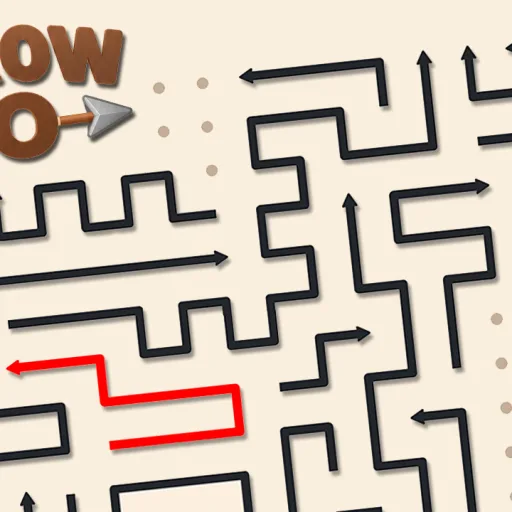
Play Arrow Go free online at GameFunLife - a relaxing yet brain-teasing puzzle game from GameBerry Studio where every single move matters! The board is filled with arrows, each pointing in its own direction. Your mission: untangle the entire board by tapping the arrows in the correct order so each one slides away cleanly. Sounds simple, but there is a catch - an arrow can only move along its own direction, and if another arrow blocks its path, it will not budge. You must plan ahead, spot the blocked moves, and clear the arrows in the perfect sequence to win the level. Arrow Go is a GD Exclusive release, polished with smooth animations and a calm, satisfying gameplay loop that makes it perfect for quick breaks or long puzzle sessions. Each level is a fresh logic challenge: study the board, find the arrow with a clear path, and work your way through until the whole board is empty. There are no timers and no pressure - just pure strategic thinking. How to play: simply tap (or click) an arrow to send it gliding in the direction it points. Remove every arrow from the board to complete the level and unlock the next puzzle. The game works flawlessly on desktop and mobile, with intuitive touch controls that make solving puzzles on the go effortless. Whether you love logic games, block puzzles, or relaxing brain teasers, Arrow Go delivers hundreds of satisfying untangling challenges right in your browser - no downloads, no sign-ups, just free online puzzle fun at GameFunLife.
How to play
HOW TO PLAY: Tap or click any arrow to make it move in the direction it points. Each arrow only travels along its own path - if another arrow blocks the way, it cannot move. Remove the arrows in the correct order to untangle the whole board. Clear every arrow from the board to complete the level. CONTROLS: Mouse click or finger tap - simply tap an arrow to send it moving. No keyboard needed; fully playable on desktop and mobile. TIPS: Look for arrows with a completely clear path first - they are always safe moves. Plan two or three moves ahead before tapping, because a wrong tap can block other arrows. Work from the edges inward when the board feels crowded. Take your time: there is no timer, so study the board before each move.
Tap arrows to slide them in the direction they point. Each arrow only moves along its own path, so clear them in the right order until the board is empty.
Why won't my arrow move in Arrow Go?
The arrow's path is blocked by another arrow. Tap a different arrow first to free up the path, then try again.
Can I play Arrow Go on mobile?
Yes. Arrow Go has simple tap controls and works smoothly on phones and tablets, as well as on desktop browsers.
Is Arrow Go free to play?
Yes, Arrow Go is completely free to play online at GameFunLife with no downloads or sign-ups required.
What kind of game is Arrow Go?
Arrow Go is a relaxing casual logic puzzle game from GameBerry Studio. Every level is a fresh untangling challenge with no timers or pressure.
Is Arrow Go free to play?
Yes. Arrow Go is free and runs right in your browser on GameFunLife — no download or sign-up needed.
Can I play Arrow Go on my phone?
Yes, it works on phones and tablets as well as computers.
 Arrow Goby GameBerry Studio · 0 plays